
This method is super simple. You only need to follow these clear and short steps.
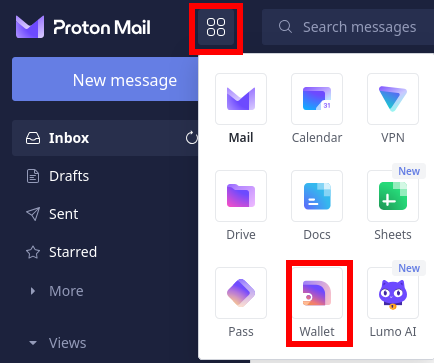
Log in into your ProtonMail account – proton.me. Open the menu and choose Wallet
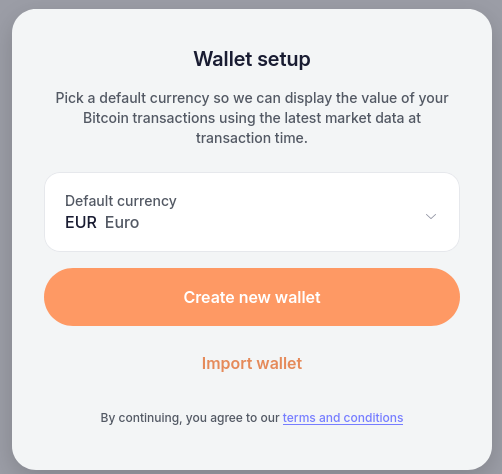
Choose a currency and continue with “Create new wallet”
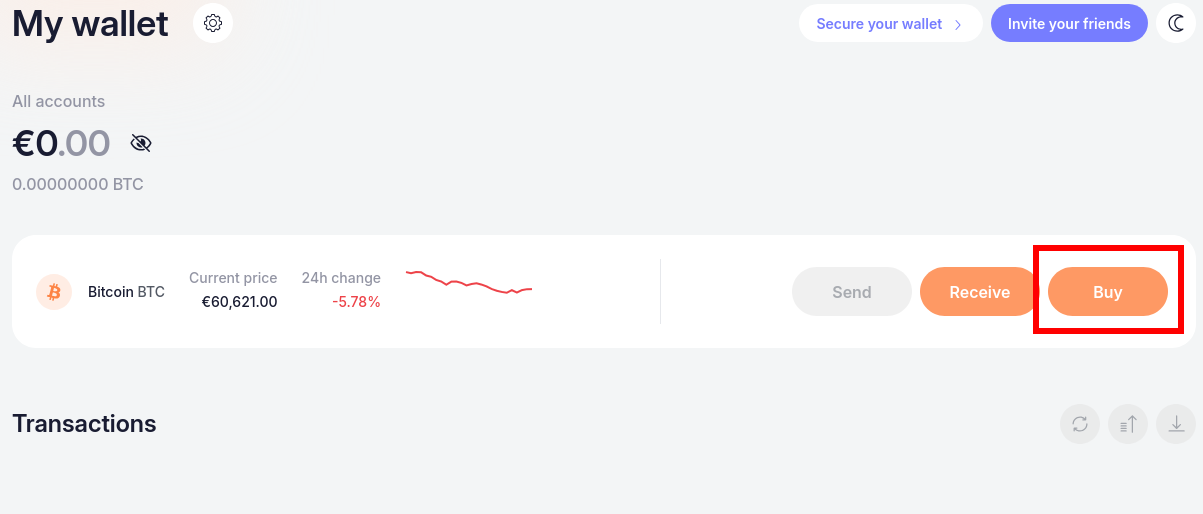
Congratulations! You have now your own wallet where you can receive and send your Bitcoin wherever you want! Continue with pressing on “Buy”
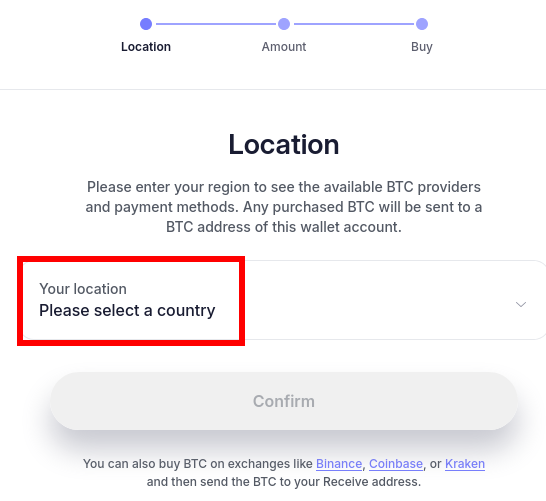
Choose the country where you live.
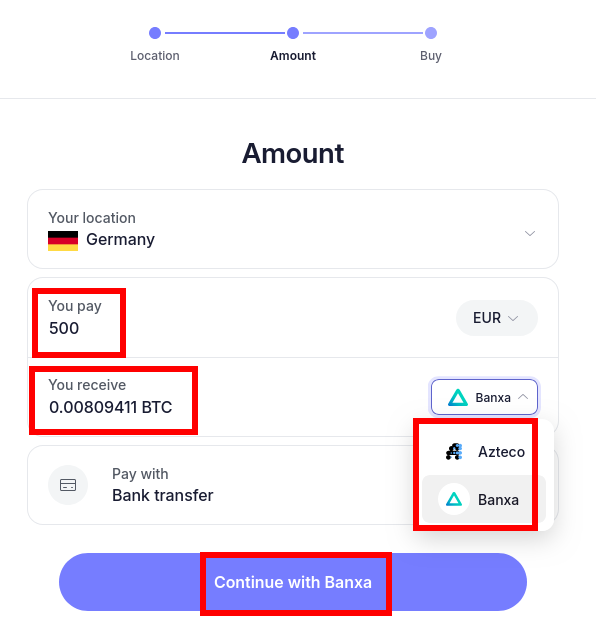
Type the amount you want to buy – buy some more then needed to cover all fees.
Choose a exchange that gives you the most Bitcoin for your money.
Continue with the button below and follow the further steps.
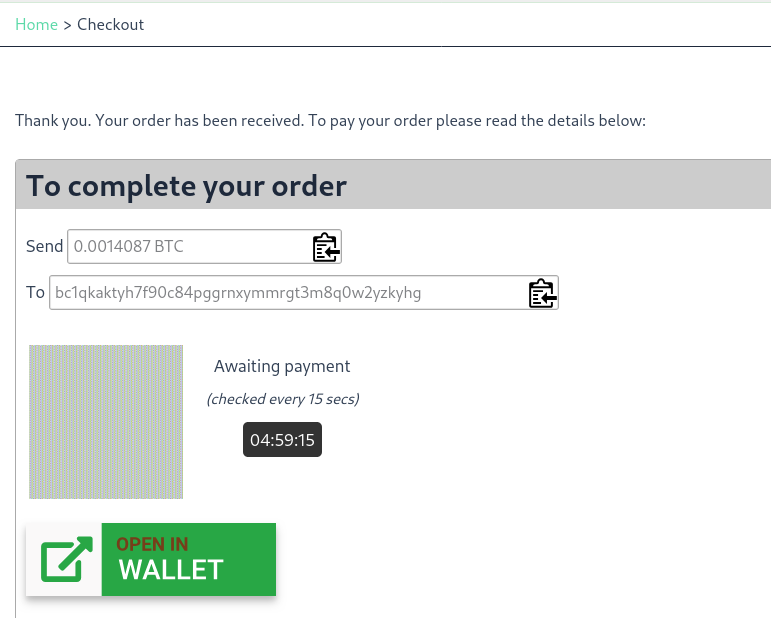
When you exchanged your chosen currency to Bitcoin you can place the order in our shop.
Choose Bitcoin as payment method. After confirming your order you can copy the Bitcoin amount and our Bitcoin Wallet address. Copy our address and send the Bitcoin to this address from your created wallet.
If you want to read another way to buy bitcoin you can read here “Pay with card”
If you want to know which platforms are also good to use you can read here “Where to buy crypto?”